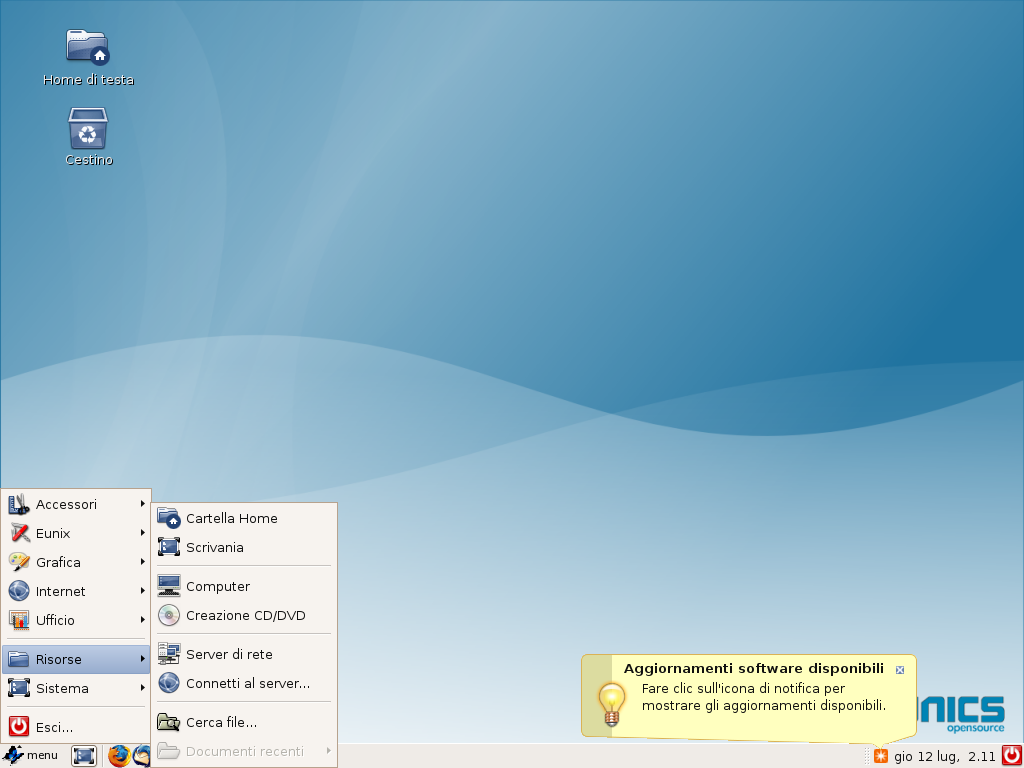
In the corporate IT landscape of the mid-to-late 2000s, managing client workstations (desktop fleet) represented one of the most expensive challenges in terms of licensing, security, and maintenance overhead. During my professional career at Eunics and Eutelia, I conceived, designed, and developed Eunix, a customized and hardened GNU/Linux distribution tailored specifically as the standard operating system for company workstations.
Starting from the source code and stable packages of Ubuntu 6.06 LTS (Dapper Drake), I executed a deep architectural restructuring of the system to align with strict corporate security policies and workflows. The result was an extremely lightweight desktop operating system, immune to the malware of the era, pre-configured to integrate with the corporate Microsoft infrastructure, and centrally manageable.
---
Security Architecture and Hardening
The absolute priority in developing Eunix was stability and immunity to cyber threats or accidental system corruption by users. To achieve this, I implemented several architectural modifications:
- Sudo Subsystem Restriction: Typically, distributions like Ubuntu grant nearly absolute administrative rights to the primary user via the `sudo` command. In Eunix, I locked down the `/etc/sudoers` file, restricting root privilege execution to a very narrow, pre-approved list of essential utilities. Regular users were completely barred from spawning root shells (`sudo -i` or `sudo su`), neutralizing privilege escalation risks and preventing the execution of malicious scripts.
- Immutable Core Settings: To ensure that every workstation remained strictly aligned with company standards, I set the configuration profiles for the GNOME desktop environment and key applications to read-only. Network parameters, default printers, and security configurations could not be altered by users, significantly reducing helpdesk requests for misconfigured machines.
- Deactivation of Unnecessary Services: I conducted a granular audit of background services running by default on Ubuntu Dapper, disabling all non-essential daemons (such as unsecured local folder shares or vulnerable network discovery services) to shrink the attack surface and optimize memory and CPU usage.
- Language and Locale Pruning: Ubuntu was designed to ship with dozens of international languages. In Eunix, I removed all locales other than Italian. This reduced package sizes, accelerated repository update checks, and sped up package manager database queries.
---
Automation and Software Distribution
One of Eunix's key strengths was its maintenance and package distribution framework, designed to be completely transparent to end-users:
- Silent Background Updates: I developed automated updater cron jobs that fetched and installed corporate software upgrades and security patches silently in the background, requiring no prompt or input from users, and ensuring work continuity.
- Private Software Repository: I set up a private corporate APT repository server. Eunix clients only retrieved applications from this secure channel, which hosted strictly verified, validated, and pre-configured corporate software.
- Firefox-Integrated One-Click Installs (help.eunix.it): To bypass the complexity non-technical users faced when installing packages on Linux, I built a custom Firefox integration script. By visiting the company intranet portal at `http://help.eunix.it`, users browsed a catalog of authorized tools and, with a single click, triggered a local script that downloaded, installed, and resolved dependencies automatically.
---
Hardware Compatibility and Kernel Patching
The client hardware fleet at Eunics and Eutelia was highly heterogeneous. To ensure the OS worked reliably across standard machines (mainly Dell Latitude laptops and Optiplex desktops), I backported several patches and ricompiled custom Linux kernels (including the 2.6.15 and 2.6.17 trees):
- Dell Optiplex 320, 330, and 755: I backported kernel patches to support the then-new Intel Gigabit network controllers (such as the `Intel 82566DM-2`), which suffered from link negotiation issues and dropouts on stock Ubuntu kernels.
- Dell Latitude D530 and D610: I patched drivers for the `Intel PRO/Wireless 3945ABG` Wi-Fi cards and configured software-modem drivers for the internal `Conexant HDA D330 MDC V.92` soft-modems, which were critical for offsite employees working without broadband.
- ACPI Workarounds: Many systems suffered from boot hangs due to power management and ACPI incompatibilities. I resolved this by customizing boot parameters and applying kernel-level ACPI fixes.
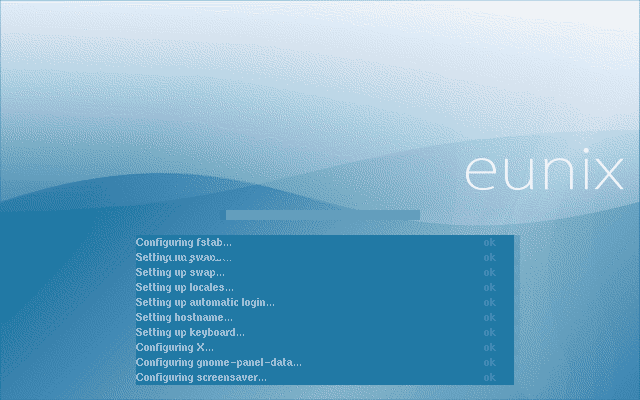
- Custom Boot Splash Screen: I integrated custom branding with the Eunix logo at the earliest stages of the boot process by rebuilding the `initrd` boot image using `gfxboot` to deliver a polished, branded user experience from the moment the computer was turned on.
---
Enterprise Integrations and Shell Scripting Utilities
To guarantee that the distribution could fully replace Windows machines for daily business operations, I wrote several diagnostic utilities and graphical frontends in Bash + Zenity:
- Active Directory Integration: I modified the system user creation scripts to accept usernames containing the dot character (`.`). This allowed users to sign in with their standard corporate directory format (`firstname.lastname`).
- Cisco VPN and Microsoft PPtP VPN: I built an intuitive Zenity GUI frontend allowing users to easily launch, stop, and monitor secure corporate VPN tunnels (both Cisco client and PPtP standards) without needing to use terminal commands.
- TrueCrypt Graphical Frontend: To safeguard sensitive corporate data on laptops carried by executives, I wrote a Bash+Zenity wrapper to mount and manage encrypted TrueCrypt volumes.
- Network Diagnostics Script: I added an automated network check tool to the system menu. The script checked interface status, pinged the gateway, tested DNS resolution, and verified route availability, providing instant visual feedback to help users identify connection issues.
- Legacy Application Emulation via Wine: To run Windows-only tools (such as Boson network simulators for technicians, and internal ERP systems like ENRI and gepro), I configured a highly optimized and hidden Wine compatibility layer that launched executable binaries seamlessly as if they were native apps.
- Oracle Client and Citrix Packaging: I packaged the Oracle database client and the Citrix ICA remote client as customized `.deb` packages, enabling fast database and remote terminal access.
---
Secure Remote Assistance (Custom VNC)
Supporting remote employees nationwide demanded a fast yet secure remote control solution. I engineered a customized VNC toolchain:
1. A user requesting assistance clicked the "Eunix Remote Support" launcher in the system menu.
2. The script generated a temporary single-use session password and displayed it alongside the client's current IP address, instructing the user to communicate these details to the helpdesk agent.
3. Once the intervention ended and the helpdesk agent disconnected, the script forcibly terminated the VNC server daemon, ensuring no subsequent unauthorized connections could be made.
4. Furthermore, I customized the GNOME Display Manager (GDM) login screen to project the client IP address onto the login screen lock, allowing users to report their IP to the support team even before logging in.
---
Impact and Conclusions
Eunix proved that a customized, hardened GNU/Linux distribution, stripped of bloat and engineered specifically for corporate workflows, could successfully replace proprietary operating systems in a demanding corporate environment. It eliminated licensing costs, dramatically reduced downtime due to malware, and streamlined workstation management for systems administrators, remaining one of the most technically challenging and rewarding projects of my systems administration career.